Mic emulation with Slate VMS ML-1A
Use one modeling microphone to explore classic vocal and instrument microphone characters.
Intermediate
20 min read + practice
Prerequisites
What mic modeling means
Mic modeling is a controlled way to capture with a neutral microphone and then shape that recording with software models of classic microphones. It does not replace good placement, but it gives users access to different tonal references without a physical mic locker.
The important discipline is consistency. Keep the singer position, gain, and performance the same while changing models, otherwise you are comparing performance differences instead of microphone character.
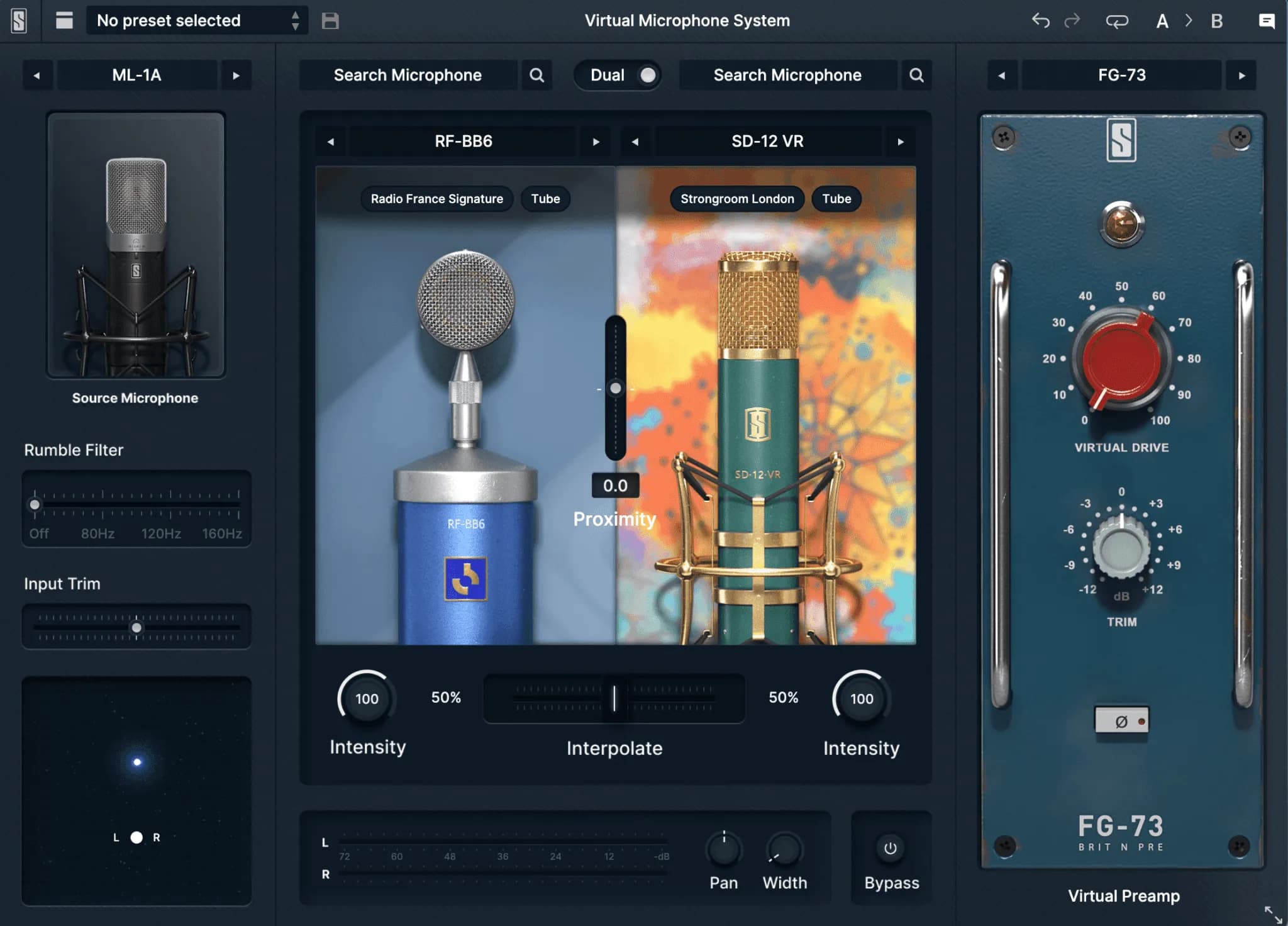
Set up the VMS chain
Connect the ML-1A to an S16 input using a balanced XLR cable. Enable 48V only after confirming the mic is connected and channel gain is low.
In Logic Pro, insert the Slate VMS plugin early in the channel chain. Keep corrective EQ and compression after the model so the chosen microphone character becomes the source tone.
Settings to check
Hardware
ML-1A > S16 input > X32 Rack > USB > Logic ProPhantom power
48V on for ML-1A onlyPlugin order
VMS model first, then EQ and compressionCompare microphone characters
Use model changes to teach listening. A U47-style model often feels warm and forward, a C12-style model can feel airy and bright, while a modern vocal model can feel polished and present.
For acoustic guitar, compare models on strumming and fingerstyle separately. A bright model may help detail, but it can also exaggerate pick noise.
Save favorites and know limits
When a model works, save it with the project or note it in the track name. This helps performers repeat a vocal chain without guessing next session.
Modeling cannot fix a bad room position, clipping, or poor performance. Treat it as a creative color choice after the basic capture is already healthy.
Record one phrase, duplicate it, then compare models on the same take.
Start with subtle processing so the microphone character is easier to recognize.
Save microphone models that work well for specific singers or instruments for future sessions.
Changing singer distance while comparing mic models.
Putting heavy EQ before the modeling plugin.
Using 48V on other channels without checking what is connected.