Band multi-track recording
Plan and capture a full band so every source can be mixed later.
Advanced
60 min read + practice
Prerequisites
Start with pre-production
A good multi-track session starts before cables are connected. Prepare the song chart, tempo notes, section markers, performer list, and a simple decision about what must be recorded live together.
Write an input list and tape it near the control position. This prevents confusion when performers ask for more vocal, less guitar, or a retake on one specific channel.
Settings to check
Session name
[YYYY-MM-DD]_[Class]_[Song Title]_[Band Name]Recording workflow
Practice take > main recording > additional layers > corrections if neededMap the band inputs
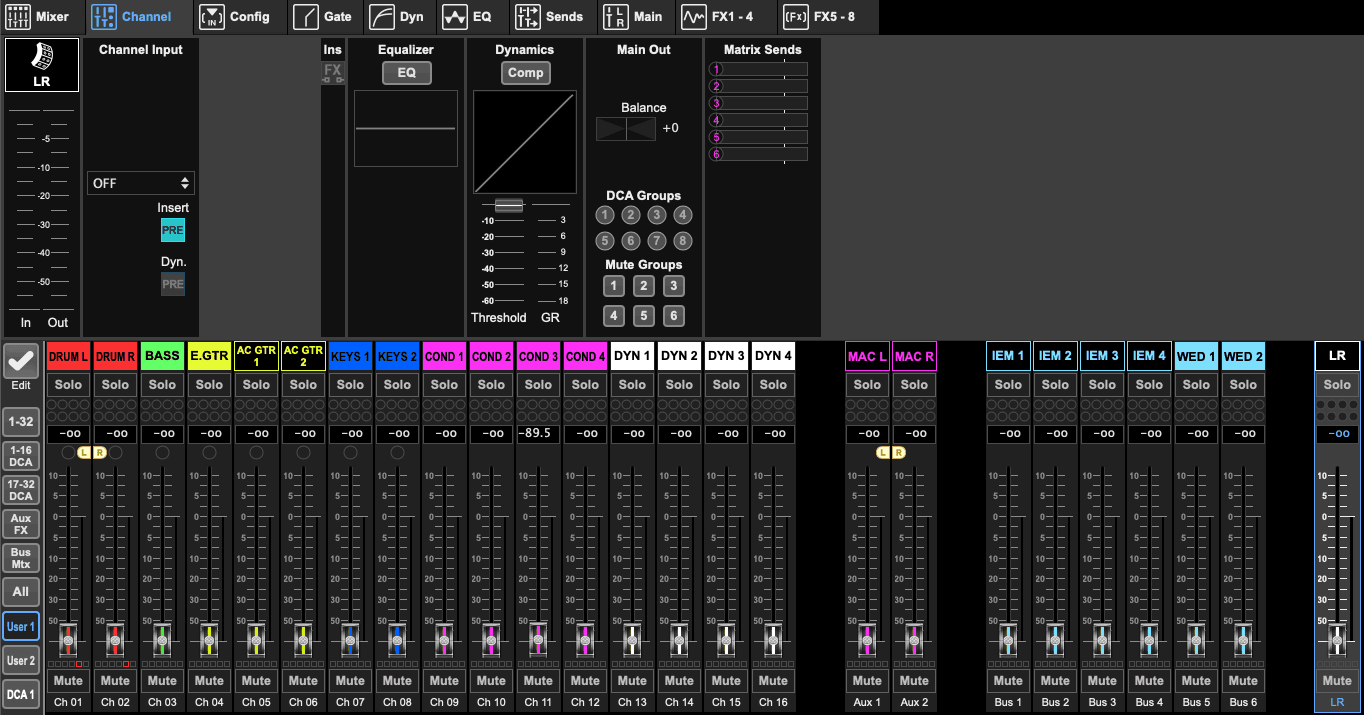
Use a predictable channel order: kick, snare, overheads, bass DI, guitar, keys, lead vocal, backing vocals. A consistent map makes X32, Logic Pro, and headphone setup much faster.
Phantom power must be managed channel by channel. Condenser overheads or the Slate mic may need 48V, while dynamic mics and many DI situations do not.
Build headphone mixes
Each performer needs a different confidence mix. Vocalists usually need pitch reference and their own voice; drummers need bass and click; guitarists need vocals and drums.
Use Powerplay HA8000 safely. Start all channel volumes low, confirm signal one performer at a time, then make small adjustments while they play.
Track in layers
Use this recording workflow: practice take, main recording, additional layers, then corrections if needed. The practice take is for checking tempo, arrangement, routing, monitoring, and confidence before the main recording starts.
After the main recording is usable, add layers such as lead vocals, solos, doubles, or extra percussion. Corrections should happen only after the performer understands the entry point and the count-in.
Settings to check
Main pass
Record the full arrangement before small fixesCorrections
Fix only the parts that need itTrack organization
Separate drums, instruments, vocals, and playback tracks clearly in Logic Pro. A clean session makes it easier for teachers, students, or ACTA support to understand what was recorded.
Use clear names, colors, and groups before editing begins. Do not wait until the end of the session to organize the project.
Settings to check
Track groups
Drums, instruments, vocals, playbackNaming
Source name first, then take or partSession safety
Save the project after every successful take or major recording change. Multi-track sessions can be hard to recreate, so each good moment should be protected immediately.
If the session is moving into editing or corrections, create a new version first so the original tracking state can still be recovered.
Settings to check
Save rhythm
After every successful take or major changeVersioning
v01_tracking, v02_layers, v03_correctionsColor-code tracks before recording so performers can identify sources quickly.
Use markers for sections and problem spots during the scratch take.
Keep one notes document open for take ratings and performer feedback.
Starting recording before the input list is confirmed.
Making headphone mixes too loud too early.
Forgetting to save a copy before major edits.