X32 routing for live performance
Understand the path from input to main speakers, monitor buses, effects, scenes, and quick controls.
Intermediate-advanced
45 min read + practice
Prerequisites
Recap the X32 signal flow
On the X32, sound starts at an input, passes through processing, then goes to a bus or the main LR output. Routing becomes easier when you always ask: where does this signal enter, where is it processed, and where should it leave?
For live performance, main LR usually feeds the front-of-room speakers, while buses feed monitor mixes or effects. Keep these jobs separate so one change does not surprise everyone.
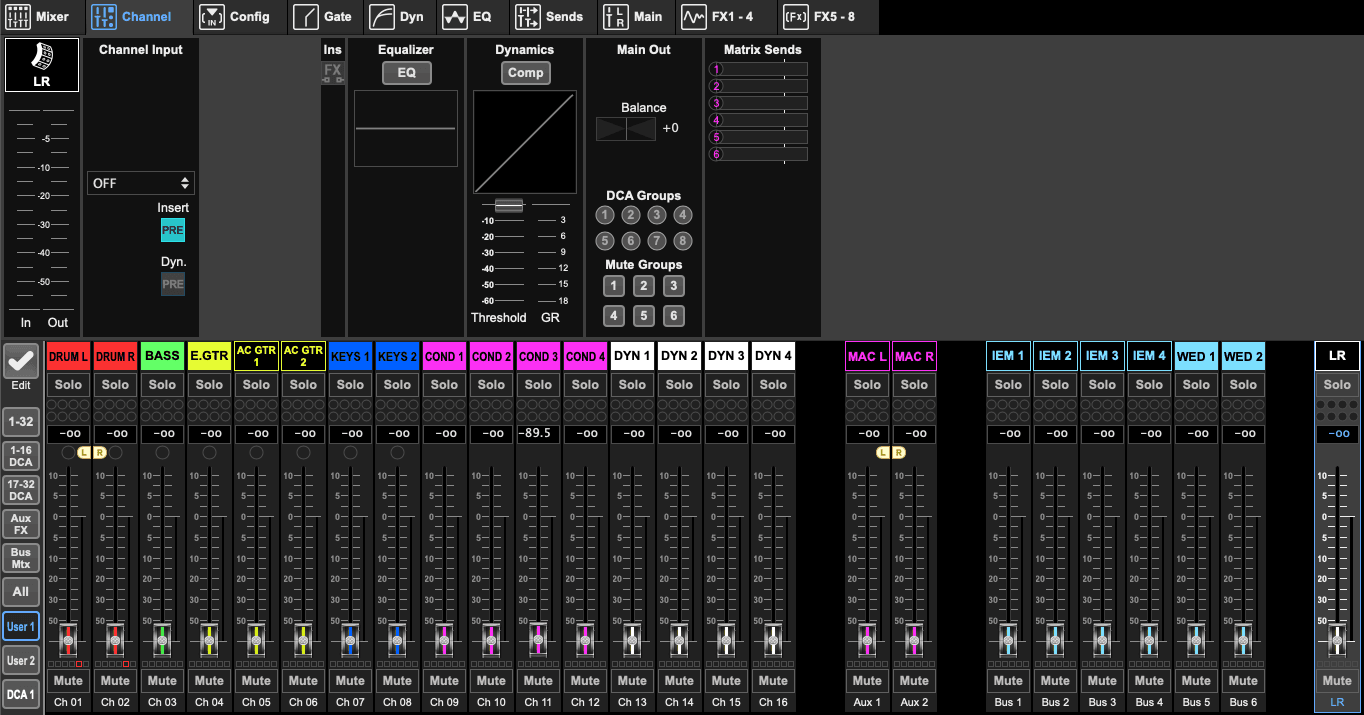
Use the channel strip
The channel strip is where each input channel is adjusted before being heard through the speakers or monitors. The most common workflow is: gain, high-pass filter, EQ, compression, then fader.
Start by setting proper gain first. After the signal is stable, use EQ and compression only as needed. Avoid fixing every problem using only the fader.
If a vocal sounds muddy, harsh, or unclear, the issue may come from microphone position, gain level, EQ settings, or room condition - not simply overall volume.
Settings to check
Vocal HPF
Start around 80-120 HzCompression
Use gentle compression first before adding moreAssign buses and effects
Monitor buses should usually be pre-fader, so performers do not lose their headphone or wedge balance when the front-of-room mix changes. FX sends are often post-fader, so effects follow the main vocal level.
Use simple effects first: hall reverb for ensemble space, vocal plate for lead vocal, and delay only when the song benefits from repeats.
Settings to check
Monitor bus
Pre-fader sends for performer mixesFX bus
Post-fader sends for vocal effectsManage scenes, mute groups, and DCAs
Scenes let you store a known routing and mix state. Save event work under a clear name and use scope filters carefully so recalling a scene does not change something unexpected mid-show.
Mute groups and DCAs are quick controls. Use them for drums, vocals, instruments, or announcement microphones so the PIC can react calmly during a performance.
Before editing routing, save the current scene with a timestamp.
Label channels in X32 Edit so users learn signal names, not just channel numbers.
Use channel link for stereo keys or stereo playback sources.
Using post-fader sends for monitor mixes and accidentally changing performer balance.
Overwriting the default scene after an event.
Leaving an FX return muted while increasing the send.